

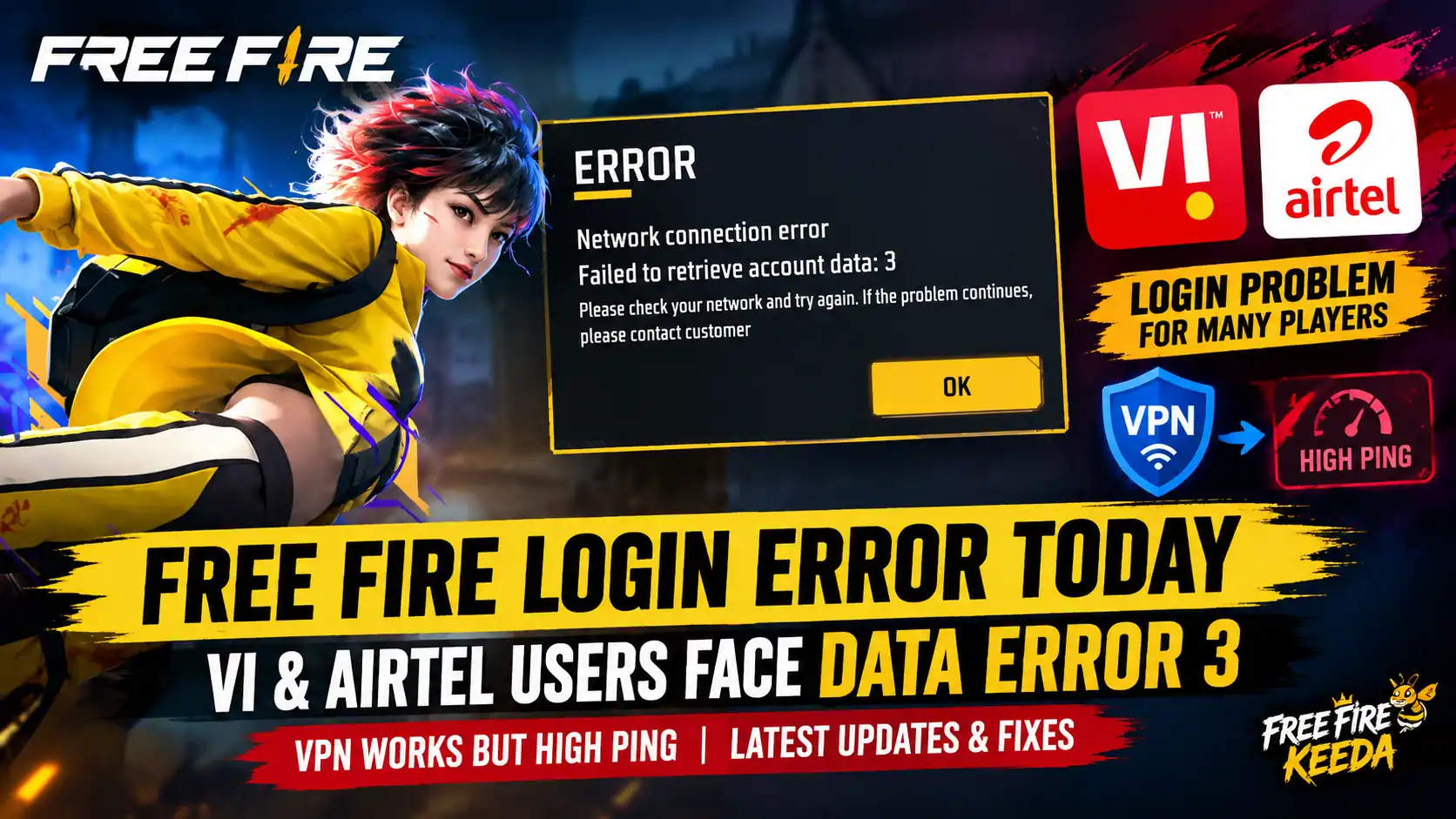
Free Fire players in India are reporting login problems on Vi (Vodafone Idea) and Airtel mobile networks, with the game displaying the error message “Network connection error – Failed to retrieve account data: 3.” According to player reports shared with Free Fire Keeda, the game may fail to log in through these connections even when other apps and websites are working normally.
Some affected players say they can log in after connecting through a VPN. However, this workaround reportedly comes with another problem: high ping, which can make matches laggy and affect the overall gaming experience.
At the time of writing, the exact cause of the issue has not been officially confirmed by Garena or the affected telecom operators.
What Is the Free Fire Login Error?
The error appears on the login screen and prevents affected players from retrieving their account data.
The message displayed in the game reads:
ERROR
Network connection error
Failed to retrieve account data: 3
Please check your network and try again. If the problem continues, please contact customer support.
The issue is particularly frustrating for players who have a working internet connection but cannot enter Free Fire normally.
Vi and Airtel Users Report Free Fire Connection Problems
According to reports received by Free Fire Keeda, players using both Vi and Airtel SIM cards are experiencing similar login difficulties.
The reported symptoms include:
- Free Fire failing to log in on Vi mobile data.
- Similar account-data errors while using Airtel mobile data.
- The game working for some affected players after connecting through a VPN.
- High ping after login through the VPN connection.
These reports suggest that the issue may involve network connectivity or the route used to reach the game’s services. However, the available information is not enough to establish whether the cause lies with the telecom networks, game servers, or another technical issue.
Players using other networks may not experience the same problem.
Why Does Free Fire Work With a VPN but Not on Mobile Data?
When a VPN is enabled, internet traffic follows a different network route. If the original route is experiencing a connectivity problem, changing that route may allow the game to connect.
This could explain why some players are able to log in after enabling a VPN.
However, a VPN can also add extra routing distance and processing overhead. This may increase latency, resulting in high ping, delayed actions, or an unstable connection during matches.
Important: A successful login through a VPN does not prove that Vi or Airtel is responsible for the error. Further technical investigation is needed to identify the actual cause.
How to Troubleshoot the Free Fire Login Error
Players experiencing the “Failed to retrieve account data: 3” message can try the following basic troubleshooting steps:
1. Switch your internet connection
Try a reliable Wi-Fi connection or another available mobile network to check whether the problem is limited to your current connection.
2. Restart the game and your phone
Close Free Fire completely, restart your device, and try logging in again.
3. Check for a game update
Make sure Free Fire or Free Fire MAX is updated to the latest version available for your device and region.
4. Avoid repeated account changes
Do not unlink your account or make unnecessary changes to your login settings while troubleshooting the issue.
5. Contact official support
If the error continues, submit a report to Garena and include your device details, telecom operator, approximate time of the issue, and a screenshot of the error.
Players can also refer to Garena’s official troubleshooting guides:
- Connection Issues: https://ffsupport.garena.com/hc/en-us/articles/4412920964762-Connection-Issues
- Error Message: Poor Network Connection: https://ffsupport.garena.com/hc/en-us/articles/4742621344154-Error-Message-Poor-network-connection
- High Ping Troubleshooting: https://ffsupportind.garena.com/hc/en-us/articles/5805379994778-Troubleshooting-step-High-Ping
Is Free Fire Down Today?
The current reports do not establish that Free Fire is completely down for all players. The problem appears to affect some players attempting to connect through Vi and Airtel, based on the reports received by Free Fire Keeda.
The exact cause and the extent of the issue remain unconfirmed. Players should check official Garena announcements and support channels for verified updates.
Will the Free Fire Login Problem Be Fixed?
A permanent fix will depend on identifying the underlying cause. If the issue is related to network routing, telecom connectivity, or the game’s login services, the appropriate technical team will need to investigate it.
For now, affected players can test another stable connection and report the error to Garena. The VPN workaround reported by some users may help with login, but it is not a confirmed permanent solution and may result in higher ping.
Free Fire Keeda will update this report if reliable new information or an official statement becomes available.
Frequently Asked Questions (FAQs)
Q1. Why is Free Fire showing “Failed to retrieve account data: 3”?
The error indicates that the game could not retrieve the required account data. The exact cause of the current reports has not been confirmed.
Q2. Is Free Fire not working on Vi SIM today?
Some players have reported login problems while using Vi mobile data. The reports do not establish that every Vi user is affected.
Q3. Is Free Fire login failing on Airtel?
According to reports received by Free Fire Keeda, some Airtel users are experiencing the same connection error. The scope and cause remain unconfirmed.
Q4. Why does Free Fire log in with a VPN but show high ping?
A VPN changes the route taken by your internet traffic. Although that route may allow login, it can introduce additional latency and cause high ping.
Q5. Is this a Free Fire server problem or a network problem?
There is not enough verified information to determine the cause. Further investigation by Garena and, if necessary, the affected network operators would be needed.
Q6. Where can I report the Free Fire network error?
Players can visit Garena’s official support website at https://ffsupport.garena.com/ and submit a support request with the error screenshot and relevant connection details.
Stay Updated With Free Fire Keeda
For the latest Free Fire news, login problem updates, esports coverage, events, guides, and gaming tools, visit:
Disclaimer: This report is based on player reports available to Free Fire Keeda. The issue’s cause, affected user count, and resolution timeline have not been independently confirmed by Garena or Vi/Airtel.