

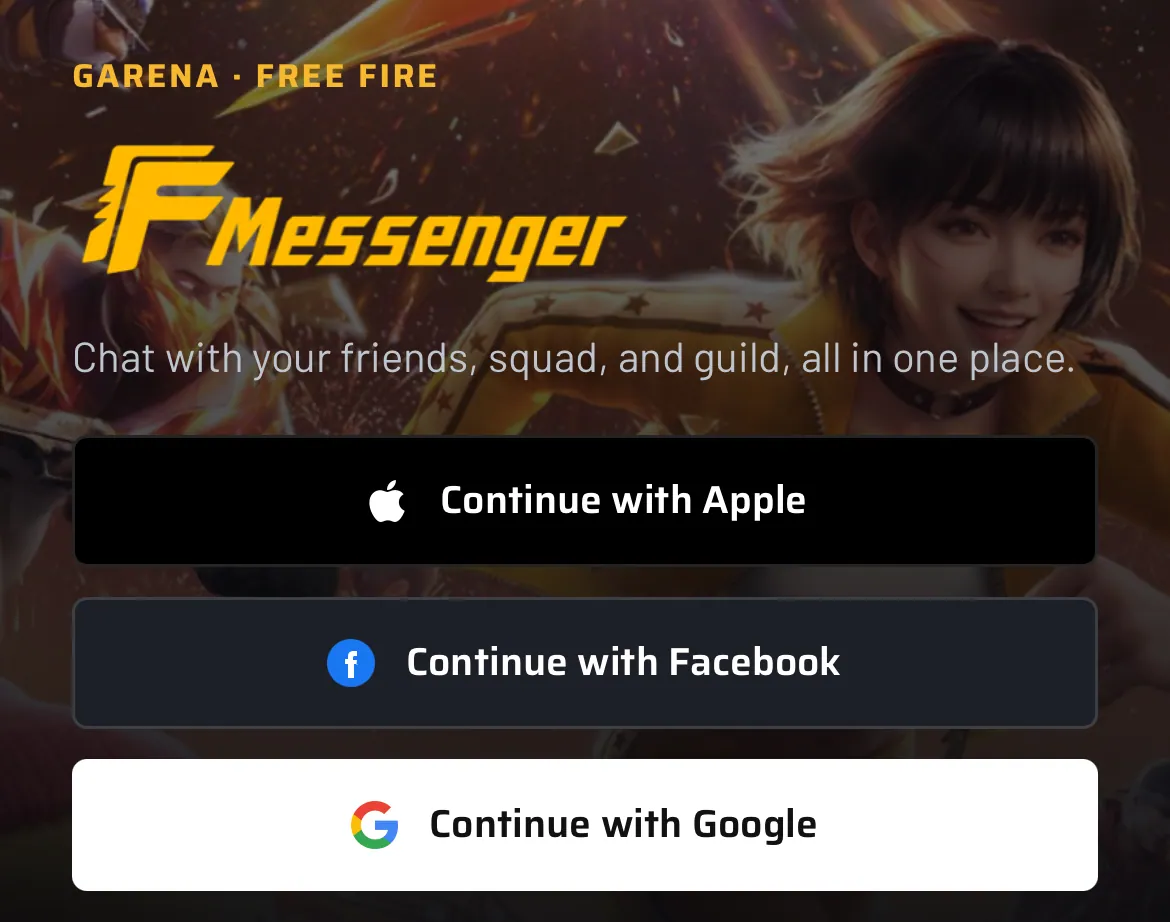
Garena has officially launched FF Messenger, a dedicated messaging platform designed for Free Fire players who want to stay connected with their friends, squads, and guild members even when they are not inside the game.
The new FF Messenger allows players to communicate with their existing Free Fire contacts through a separate app instead of opening the full game whenever they want to chat or coordinate with their teammates.
According to the launch information shown in the provided announcement, the service is available on Android and iOS and supports login through Apple, Facebook, and Google.
What Is FF Messenger?
FF Messenger is a dedicated communication app for the Free Fire community. It is designed to make communication between players easier when they are outside the main Free Fire game.
Players can use the messenger to stay connected with their in-game friends, squad members, and guild. This can be useful when planning matches, discussing strategies, or simply chatting with teammates.
The main idea is simple: you do not need to launch the full Free Fire game just to communicate with your friends.
FF Messenger Features
Based on the official launch information shown in the announcement, FF Messenger offers several useful features for Free Fire players.
Chat With Free Fire Friends
Players can communicate with their existing Free Fire friends through the dedicated messenger platform.
Stay Connected With Your Squad
FF Messenger can make it easier to coordinate with squad members before starting a match or while planning the next game.
Guild Communication
Guild members can also stay connected outside the main Free Fire application, making communication more convenient.
No Need to Open the Full Game
One of the biggest advantages is that players can communicate without launching the complete Free Fire game just to send messages.
Existing Account Support
The login screen shown in the provided information includes three sign-in options:
- Continue with Apple
- Continue with Facebook
- Continue with Google
This allows players to connect using supported account credentials.
FF Messenger App Details
| App Information | Details |
|---|---|
| App Name | FF Messenger |
| Developer/Publisher | Garena / Free Fire |
| Category | Communication / Gaming |
| Purpose | Chat with Free Fire friends, squad and guild |
| Platforms | Android & iOS |
| Login Options | Apple, Facebook, Google |
| Main Feature | Free Fire player communication |
| Game Connection | Connects with existing Free Fire accounts |
| Availability | Available now |
| Official Website | FF Messenger |
How to Access FF Messenger
Players can visit the official FF Messenger website to access the service:
Looking for Free Fire tools? Create stylish names, generate profile cards, check UID details, estimate your account value, and discover more exclusive tools only on Free Fire Keeda.
Official FF Messenger Website:
freefiremessenger.sea.freefiremobile.com
From the login page, players can choose Apple, Facebook, or Google and continue with their supported Free Fire account.
Is FF Messenger Available on Android and iOS?
Yes. The launch announcement states that FF Messenger is available on both Android and iOS.
This means Free Fire players can use the dedicated communication service from their smartphones without needing to open the complete game whenever they want to communicate.
Why Is FF Messenger Useful for Free Fire Players?
Free Fire is heavily focused on team-based gameplay, where communication can be important. Players often need to discuss match timings, strategies, squads, guild activities, and upcoming games.
With FF Messenger, these conversations can happen outside the main game.
For example, if your squad is planning to play later, you can chat with your teammates through FF Messenger without opening Free Fire first.
FF Messenger vs Free Fire Chat
The main difference is convenience.
The traditional Free Fire chat system is part of the game itself, while FF Messenger is designed as a separate communication experience.
This can be especially useful for players who want to:
- Talk with friends before playing
- Organize squad matches
- Stay connected with guild members
- Discuss strategies
- Message teammates without launching the full game
How to Log In to FF Messenger
Logging into FF Messenger is straightforward:
- Open the official FF Messenger website or app.
- Choose your preferred login option.
- Select Apple, Facebook, or Google.
- Sign in using the account connected to your Free Fire profile.
- Access the available messaging features.
- Start communicating with your Free Fire friends, squad, or guild.
Final Words
The launch of FF Messenger gives Free Fire players another way to stay connected with their gaming friends outside the main game.
Instead of opening Free Fire every time they want to send a message or coordinate with their squad, players can use the dedicated messenger platform. With Android and iOS support and login options through Apple, Facebook, and Google, FF Messenger is aimed at making communication across the Free Fire community more convenient.
If you are a regular Free Fire player who frequently communicates with friends, squad members, or guildmates, FF Messenger is worth checking out.
Frequently Asked Questions
What is FF Messenger?
FF Messenger is a dedicated communication platform from Garena for Free Fire players. It lets users communicate with their Free Fire friends, squad, and guild outside the main game.
Is FF Messenger an official Free Fire app?
Yes. The launch announcement identifies it as FF Messenger from Garena/Free Fire.
Is FF Messenger free?
The provided launch information presents FF Messenger as a communication service for Free Fire players and does not mention a paid subscription.
Can I use FF Messenger on Android?
Yes. The announcement states that FF Messenger is available on Android.
Is FF Messenger available for iPhone?
Yes. FF Messenger is also available on iOS.
Which accounts can I use to log in?
The displayed login page provides Apple, Facebook, and Google login options.
Can I chat with my Free Fire friends outside the game?
Yes. That is one of the main purposes of FF Messenger. It is designed to let players stay connected with their Free Fire friends, squad, and guild without opening the full game.
Where can I access FF Messenger?
You can access the official service here
Open FF Messenger Official Website